MORE POSSIBILITIES. ONE SHARED WORLD.

Find your
next thing.

A home to build. A shop to grow. An adventure to share. Get to know the systems that make EasyCraft feel a little different.
13 features to explore1 shared community
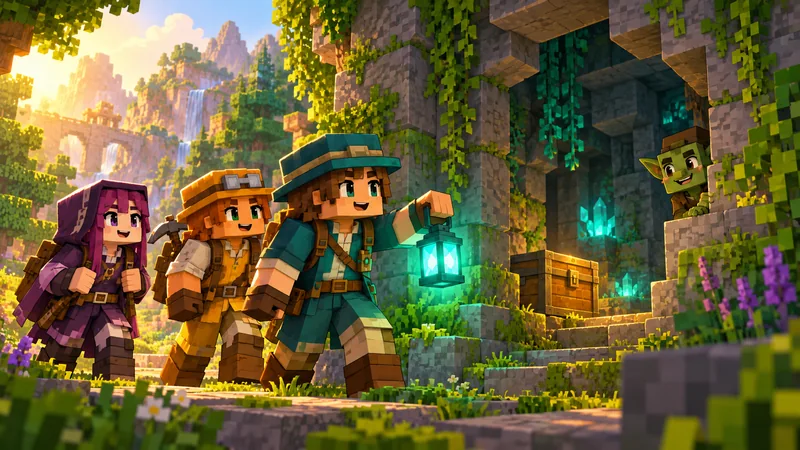
YOUR NEXT ADVENTURE · ATMOSPHERE ILLUSTRATION

PLAY IT YOUR WAY

What's your
kind of night?

Choose a feature for its short visual guide. The written steps are always available below.

13 features to explore

One community

Java + Bedrock

Play together in one shared survival world from PC, Mac, Linux, Windows or mobile.

Explore & gather

Survival worlds

Build your home in Survival, gather resources and head into Dungeons or Piñata events.

Made for EasyCraft

Custom content

Discover custom weapons, armour, wings, furniture and collectibles, with resource packs for Java and Bedrock.

Rewards to discover

Crates & keys

Open Vote, Random Key, Infinite Blocks, Warrior, Spawner and Dungeon crates—with signed keys, clear previews and the rare universal Master Key.

Build with confidence

Claims & homes

Protect builds, save homes, manage trusted players and expand your claim capacity as you progress.

Trade your way

Player economy

Buy, sell and trade through the Auction House, direct player trades, Coin Shop, AFK Shop and Black Market.

Community destinations

PlayerWarps

Create public destinations, discover player shops and visit builds across the EasyCraft community.

Hit, chase, earn

Piñata events

Chase the roaming EasyCraft Piñata in its dedicated arena and earn custom event rewards.

Parties of 1–4

Goblin Dungeons

Enter a timed seven-room adventure with Goblin encounters, a final boss duo and permanent records.

Choose your challenge

PvP Arena

Enter the dedicated PvP Arena, earn Warrior Points and take part in KOTH or Reward Chest activities under the arena rules.

Survival only

Spawner progression

Collect spawners and combine matching types in Survival. Spawner mobs can stack; naturally spawning mobs stay separate.

Four clear tiers

Ranks & kits

Grow through VIP, VIP+, Easy and Easy+ with cumulative perks, monthly kits and larger gameplay limits.

Play, trade, earn

Four ways to progress

Trade with Money, unlock extras with Coins and earn AFK Shards or Warrior Points through their activities.

BRING YOUR FAVOURITE PEOPLE

A good night.
A great party.

The Goblin Dungeon is a seven-room co-op adventure for one to four players. Create your party, accept your teammates and face the final boss duo together.

250 XP levels once · paid by the leader when creating the party. No extra charge to start.

How dungeon parties work

A LITTLE KNOW-HOW GOES A LONG WAY

Every system.
Simply explained.

Open a guide for four clear steps. You can also ask the pocket guide in the corner a specific EasyCraft question.

01Claims in four stepsBuild protected
  1. Hold the EasyCraft Golden Claim Shovel.
  2. Right-click the ground at the first (left) corner of the area you want to protect.
  3. Walk to the opposite (right) corner and right-click the ground again.
  4. The outline appears; the claim must cover at least 50 claim blocks, then it is protected.
02Join from Java or BedrockOne address
  1. Java players add play.easycraftmc.net on the default Java port.
  2. Bedrock players add play.easycraftmc.net with UDP port 19132.
  3. Accept the EasyCraft resource pack when prompted.
  4. Both editions enter the same Hub and shared survival world.
03Crates and keysRewards to discover
  1. Earn or receive a signed key for the crate you want to open.
  2. Left-click the crate to preview its exact rewards and chances before spending a key.
  3. Hold the matching signed key and right-click the crate to open it.
  4. Enjoy your reward. Use /keys to check how many crate keys you have.
04Custom itemsMade for both editions
  1. Accept the EasyCraft pack on Java or Bedrock when joining.
  2. Hold a custom weapon, armour piece, wing or furniture item to see its model.
  3. Use the item exactly as its in-game description explains.
  4. If a pack is declined, rejoin and accept it to restore the intended visuals.
05Trade and earnPlayer economy
  1. Use /ah to list and browse player items.
  2. Use /trade with a nearby player and confirm both sides.
  3. Use the Coin Shop, AFK Shop and Money-only Black Market for their dedicated currencies.
  4. Check the items and price before confirming a trade or purchase.
06PlayerWarpsCommunity destinations
  1. Create a destination at a safe location with the PlayerWarp command.
  2. Give it a clear name and publish it for the community.
  3. Visit another player warp from the list and use the return route when finished.
  4. Claim protection and staff rules still apply at every destination.
07Piñata eventsHit, chase, earn
  1. Watch the event message and travel to the dedicated Piñata arena.
  2. Hit the moving Piñata while staying inside the protected event area.
  3. Share the chase with the server community and watch the reward feedback.
  4. Collect the custom event reward when the event ends.
08Goblin DungeonsParties of one to four
  1. Use /dungeons to enter the lobby. The leader creates the party and pays 250 XP levels once in total.
  2. Invite up to three friends and accept the party invitations. Use the Gatekeeper menu to start with no extra charge.
  3. Clear each Goblin encounter and save resources for the final boss duo.
  4. Finish the run to record your result and receive the configured rewards.
09PvP Arena in four stepsChoose your challenge
  1. Use /pvp to reach the dedicated arena and read its rules before entering combat.
  2. Fight within the arena area. Temporary-building, combat and anti-farm rules remain active.
  3. Use /pvpstats to review your progress and /pointshop for Warrior Point rewards.
  4. Check /koth status for that activity and use the managed travel routes when you are ready to leave.
10Spawner progressionSurvival only
  1. Collect a signed spawner through the supported Survival rewards.
  2. Place or manage it only in Survival where the spawner rules apply.
  3. Combine matching types through the spawner interface to progress.
  4. Mob stacks stay bounded and natural mobs keep their normal behaviour.
11Ranks and monthly kitsGrow over time
  1. Compare VIP, VIP+, Easy and Easy+ on the Ranks page.
  2. A rank adds cumulative limits such as homes, claim blocks and PlayerWarps.
  3. Easy and Easy+ unlock cumulative monthly kits with separate 30-day cooldowns.
  4. Use /ranks or /rankfeatures in game to review your current perks.
12Four currenciesClear progression
  1. Survival Money is used for the regular player economy.
  2. Coins are used for ranks and the in-game Coin Shop.
  3. AFK Shards and Warrior Points come from their dedicated activities.
  4. The systems stay separate so every reward has a clear value.
13Worlds and portalsExplore safely
  1. Start in the Hub and choose Survival or an available event portal.
  2. Use the managed Resource, Nether, End, Dungeon and Piñata worlds for their intended activity.
  3. Return through the Hub route when you are done exploring.
  4. Use /warps in game to see the destinations currently available.

PICK A PATH. MAKE IT YOURS.

Ready to give
it a go?

Java or Bedrock, your next chapter starts at the same address.

Let's get you connected